Getting Started with expresscopy.com
Our online design and order system makes it easy to create professional looking postcards, flyers, and business cards
With multiple design options and an easy-to-follow order process, you can set up your first order in just minutes! From there, our online tools
will help you manage your future printing orders and mailing campaigns with ease.
2 Ways to Create your Design:
1. Use one of our customizable designs
- No special software or design experience required
- 100s of templates for any industry or theme
- 1000s of free, high-resolution stock photos and images
- Upload and save your own photos and logos
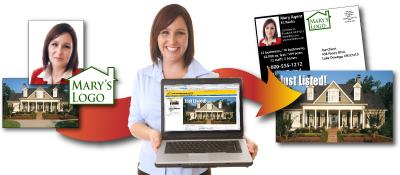
If you are using our online template system, we will walk you step-by-step through everything you need to know. Just choose by Industry, Theme, or Product on the menu to left, pick out design, and you're on your way.
We've also created the brief primer on
getting the most out of our customizable designs.
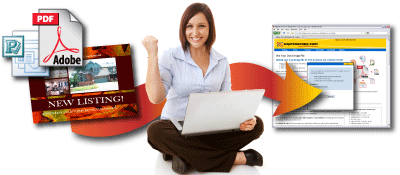
2. Upload files from your computer
- Easy-to-follow file specifications
- Accepts most file types, converting them automatically to print-ready PDFs
- Save files for future orders
If you plan to upload your own designs, there are a few important guidelines to follow. Our
Preparing Your Files page will get you up to speed on file types, image specifications, and creating your output file.
Following these simple guidelines will ensure that your designs print exactly as you intend.
Get Your Direct Mail Campaign up and Running
Expresscopy.com can help your small business get the most out of a direct marketing campaign with:
- Expert pointers on maximizing impact and determining your ROI
- Upload and store your own list of customers and prospects
- Purchase a targeted mailing list based on the exact criteria you choose
- Schedule mailings in advance
Real Estate Agents: You can automate your postcard campaigns with Pulse Mailing. Expresscopy.com's newest service creates and mails custom Just Listed and Just Sold postcards generated directly from your local MLS feed!